
USB Safely Remove
5.3.8
Size: 6 MB
Downloads: 5581
Platform: Windows (All Versions)

Nowadays, most people use USB memory sticks for storing and transporting information. But what most people don't know is that removing a USB stick from a computer by simply pulling it out of the USB port may corrupt the information stored on it. If we are talking about USB hard disks, the probability of losing data is even higher. That's because Windows uses caching for speeding up copy operations between the computer and the removable device. Windows includes an option for safely removing USB devices, but this is not used by most of the people because it's highly inconvenient. Users may turn to third party applications, like USB Safely Remove. Like the name says, the program does the same as the Windows feature with the same name, but it's much more convenient to use.
The software has a point and click installation process that completes in matter of seconds. It supports most versions of Windows, from XP to the newer Windows 7.
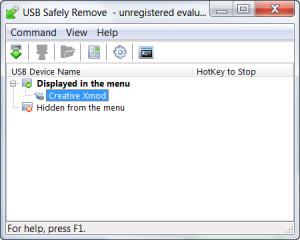
The interface of USB Safely Remove is extremely simple to use and displays all the connected USB devices. Every USB device can be stopped using a configurable hot key. Besides that, for each of the USB devices displayed in the interface, the name and icon can be changed, as well as the programs that are launched automatically when the device is connected or disconnected from the computer. Furthermore, some hardware information is shown for every device.
USB Safely Remove can even stop devices that normally aren't displayed in the Windows Safely Remove list. This default Windows tool can be launched directly from the software's menu, in case the user decides to use it instead of USB Safely Remove. Advanced users can take advantage of the command line feature that allows stopping any device just by writing a line of code.
Pros
It allows convenient stopping of any USB device, even the ones that aren't normally displayed in the Windows Safely Remove feature. Besides that, every USB device can have its own name, icon or hot key for stopping it. Moreover, advanced users will appreciate the command line feature, that allows turning off any USB device just by simply typing a line of code.

Cons
The interface looks a bit too simple and unpolished. USB Safely Remove is the ideal program for safely stopping any USB device, allowing the user to remove it without the risk of data loss.

USB Safely Remove
5.3.8
Download
USB Safely Remove Awards

USB Safely Remove Editor’s Review Rating
USB Safely Remove has been reviewed by Jerome Johnston on 08 Feb 2012. Based on the user interface, features and complexity, Findmysoft has rated USB Safely Remove 4 out of 5 stars, naming it Excellent







